
Utilities
Download All Splunk Universal Forwarders (PowerShell + Bash)
Grab both scripts below to pull every direct UF package URL for a selected version.
They default to linux + windows, support extra OS folders,
and avoid directory listing dependencies on download.splunk.com.
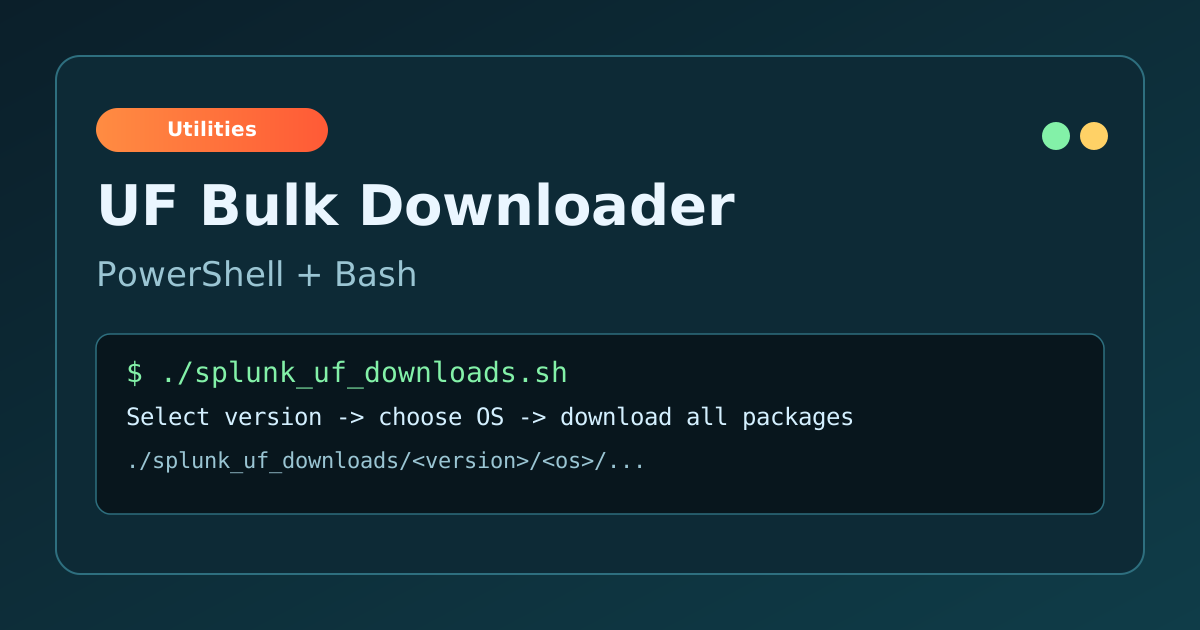
Download Scripts
Use whichever matches your platform. Both implement the same workflow and output
to ./splunk_uf_downloads/<version>/<os>/....
How It Works
- Fetches Splunk UF previous releases page.
- Parses versions and offers the last 10 builds to choose from.
- Extracts direct package URLs for the selected version.
- Derives available OS folders from URLs (for example: linux, windows, osx).
- Defaults selection to linux + windows, then optionally adds extras.
- Downloads files with original OS/path layout under a versioned output directory.
This approach is resilient for older versions because it never requires browsing release directories, only matching direct URLs present in Splunk page HTML.
Windows PowerShell Usage
Save the script, then run it from the folder where you want output stored.
cd C:\temp
powershell -ExecutionPolicy Bypass -File .\splunk_uf_downloads.ps1
If prompted, pick a version by number, then confirm defaults or provide your own OS list. Existing files are skipped, so re-running will retry only missing downloads.
Show/Hide splunk_uf_downloads.ps1
Copy this code and save it as splunk_uf_downloads.ps1.
# splunk_uf_downloads.ps1
# ------------------------------------------------------------
# Splunk Universal Forwarder bulk downloader (PowerShell)
#
# What it does:
# - Reads the last 10 UF versions from Splunk's "Previous Releases" page
# - Lets you choose which version to download (default = latest from that list)
# - Extracts direct download URLs for that version (no directory browsing)
# - Derives available OS folders from the URLs found
# - Defaults OS selection to: linux + windows
# - Optionally add additional OS folders that are available for that version
# - Downloads everything selected into: .\splunk_uf_downloads\<version>\<os>\...
#
# Why this works:
# - Some older versions do NOT allow directory listing on download.splunk.com,
#   but the direct file URLs are still valid. So we never rely on folder listing.
#
# Requirements:
# - Windows PowerShell 5.1+ (also works in PowerShell 7+)
# ------------------------------------------------------------

$ErrorActionPreference = "Stop"

$UfLatestPage = "https://www.splunk.com/en_us/download/universal-forwarder.html"
$UfPrevPage   = "https://www.splunk.com/en_us/download/previous-releases-universal-forwarder.html"
$BaseDl       = "https://download.splunk.com/products/universalforwarder/releases"
$OutRoot      = Join-Path (Get-Location) "splunk_uf_downloads"
$UA           = "Mozilla/5.0"

Add-Type -AssemblyName System.Web | Out-Null

function Get-Page([string]$Url) {
  (Invoke-WebRequest -UseBasicParsing -Uri $Url -Headers @{ "User-Agent" = $UA }).Content
}

function HtmlDecode([string]$s) {
  [System.Web.HttpUtility]::HtmlDecode($s)
}

function Parse-VersionTuple([string]$v) {
  $p = $v.Split(".")
  if ($p.Count -lt 3) { return @(0,0,0) }
  $maj = 0; $min = 0; $pat = 0
  [void][int]::TryParse($p[0], [ref]$maj)
  [void][int]::TryParse($p[1], [ref]$min)
  [void][int]::TryParse($p[2], [ref]$pat)
  @($maj,$min,$pat)
}

function Sort-Versions([string[]]$versions) {
  $versions | Sort-Object -Property `
    @{Expression={ (Parse-VersionTuple $_)[0] }}, `
    @{Expression={ (Parse-VersionTuple $_)[1] }}, `
    @{Expression={ (Parse-VersionTuple $_)[2] }}
}

function Extract-Versions-From-Html([string]$html) {
  # Find occurrences of .../releases/<ver>/... anywhere in the page
  $re = [regex]::Escape($BaseDl) + '/(\d+\.\d+\.\d+)/'
  @([regex]::Matches($html, $re) | ForEach-Object { $_.Groups[1].Value }) | Sort-Object -Unique
}

function Extract-DownloadUrls-From-Html([string]$html) {
  # Pull all UF direct file URLs from HTML. These appear in hrefs and in the "wget" command text.
  $re = [regex]::Escape($BaseDl) + '/\d+\.\d+\.\d+/[^/"\s<>]+/[^"\s<>]+'
  @([regex]::Matches($html, $re) | ForEach-Object { $_.Value }) |
    ForEach-Object { HtmlDecode $_ } |
    ForEach-Object { $_.Trim('"', "'") } |
    Sort-Object -Unique
}

function Get-OsFromUrl([string]$url, [string]$version) {
  # https://download.../releases/<ver>/<os>/file  => <os>
  $prefix = ($BaseDl.TrimEnd("/") + "/" + $version.Trim() + "/")
  if (-not $url.StartsWith($prefix)) { return $null }
  $rest = $url.Substring($prefix.Length)
  $parts = $rest.Split("/")
  if ($parts.Count -lt 2) { return $null }
  $parts[0].ToLower()
}

function Ensure-Dir([string]$path) {
  if (-not (Test-Path $path)) { New-Item -ItemType Directory -Force -Path $path | Out-Null }
}

# ------------------------------------------------------------
# 1) Build "last 10 versions" list from Previous Releases page
# ------------------------------------------------------------
Write-Host "Fetching UF versions..."
$prevHtml = $null
try { $prevHtml = Get-Page $UfPrevPage } catch {
  throw "Failed to fetch Previous Releases page: $UfPrevPage`n$($_.Exception.Message)"
}

$versions = Extract-Versions-From-Html $prevHtml
if (-not $versions -or $versions.Count -eq 0) {
  throw "Could not extract any UF versions from Previous Releases page."
}

$sorted = @(Sort-Versions $versions)
$last10 = if ($sorted.Count -gt 10) { @($sorted | Select-Object -Last 10) } else { @($sorted) }
$latest = $last10[-1]

Write-Host ""
Write-Host "Available UF versions (last $($last10.Count), oldest -> newest):"
for ($i=0; $i -lt $last10.Count; $i++) {
  "{0,2}. {1}" -f ($i+1), $last10[$i] | Write-Host
}
Write-Host ""

$pick = Read-Host "Select a version by number (default latest = ${latest})"
$chosen = $latest
if (-not [string]::IsNullOrWhiteSpace($pick)) {
  $n = 0
  if ([int]::TryParse($pick, [ref]$n) -and $n -ge 1 -and $n -le $last10.Count) {
    $chosen = $last10[$n-1]
  } else {
    Write-Warning "Invalid selection. Defaulting to latest: ${latest}"
  }
}

Write-Host ""
Write-Host "Selected UF version: ${chosen}"
Write-Host ""

# ------------------------------------------------------------
# 2) Extract direct download URLs for the chosen version
# ------------------------------------------------------------
$urls = Extract-DownloadUrls-From-Html $prevHtml | Where-Object { $_ -match ([regex]::Escape("/releases/$chosen/")) }

# Fallback: if chosen version URLs aren't on the previous page for some reason, try the latest UF page too
if (-not $urls -or $urls.Count -eq 0) {
  try {
    $latestHtml = Get-Page $UfLatestPage
    $urls = Extract-DownloadUrls-From-Html $latestHtml | Where-Object { $_ -match ([regex]::Escape("/releases/$chosen/")) }
  } catch {
    # ignore; handled below
  }
}

if (-not $urls -or $urls.Count -eq 0) {
  throw "No direct download URLs were found on Splunk pages for UF ${chosen}. Splunk may have removed/hid links for that version."
}

# Determine which OS folders are actually represented by the URLs
$osFolders = $urls |
  ForEach-Object { Get-OsFromUrl -url $_ -version $chosen } |
  Where-Object { $_ } |
  Sort-Object -Unique

if (-not $osFolders -or $osFolders.Count -eq 0) {
  throw "Found URLs for ${chosen} but couldn't parse OS folders from them."
}

Write-Host "OS folders found for UF ${chosen}:"
$osFolders | ForEach-Object { Write-Host "  - $_" }
Write-Host ""

# ------------------------------------------------------------
# 3) OS selection (default linux + windows)
# ------------------------------------------------------------
$selected = New-Object System.Collections.Generic.HashSet[string] ([System.StringComparer]::OrdinalIgnoreCase)
if ($osFolders -contains "linux")   { [void]$selected.Add("linux") }
if ($osFolders -contains "windows") { [void]$selected.Add("windows") }

if ($selected.Count -eq 0) {
  foreach ($os in $osFolders) { [void]$selected.Add($os) }
  Write-Warning "linux/windows not present in this version’s URLs; defaulting to ALL OS folders found."
} else {
  Write-Host "Default selection:"
  Write-Host "  - linux (ALL)"
  Write-Host "  - windows (ALL)"
  Write-Host ""
  $ok = Read-Host "Are these defaults OK? [Y/n]"
  if ([string]::IsNullOrWhiteSpace($ok)) { $ok = "Y" }

  if ($ok -match '^(n|no)$') {
    $choice = Read-Host "Enter OS folders (comma list) or 'all' (available: $($osFolders -join ', '))"
    if ([string]::IsNullOrWhiteSpace($choice)) { throw "No selection provided." }
    $selected.Clear()
    $c = $choice.ToLower().Replace(" ", "")
    if ($c -eq "all") {
      foreach ($os in $osFolders) { [void]$selected.Add($os) }
    } else {
      foreach ($p in ($c.Split(",") | Where-Object { $_ })) { [void]$selected.Add($p.Trim()) }
    }
  } else {
    $extras = $osFolders | Where-Object { $_ -notin @("linux","windows") }
    if ($extras.Count -gt 0) {
      $add = Read-Host "Add extras? (comma list: $($extras -join ', ')) or Enter for none"
      if (-not [string]::IsNullOrWhiteSpace($add)) {
        foreach ($p in ($add.ToLower().Replace(" ","").Split(",") | Where-Object { $_ })) {
          [void]$selected.Add($p.Trim())
        }
      }
    }
  }
}

$selectedFinal = @($selected | Where-Object { $osFolders -contains $_ } | Sort-Object -Unique)
if ($selectedFinal.Count -eq 0) {
  throw "None of the selected OS folders exist for UF ${chosen}. Available: $($osFolders -join ', ')"
}

Write-Host ""
Write-Host "Selected OS folders: $($selectedFinal -join ', ')"
Write-Host ""

# Filter URLs down to selected OS folders
$prefix = ($BaseDl.TrimEnd("/") + "/" + $chosen.Trim() + "/")
$urlsSelected = $urls | Where-Object {
  $_.StartsWith($prefix) -and $selectedFinal -contains (($_.Substring($prefix.Length)).Split("/")[0].ToLower())
} | Sort-Object -Unique

if (-not $urlsSelected -or $urlsSelected.Count -eq 0) {
  throw "No URLs matched your OS selection for UF ${chosen}."
}

# ------------------------------------------------------------
# 4) Download
# ------------------------------------------------------------
$outDir = Join-Path $OutRoot $chosen
Ensure-Dir $outDir

Write-Host "Downloading $($urlsSelected.Count) files to: ${outDir}"
Write-Host ""

$fail = 0
foreach ($u in $urlsSelected) {
  try {
    $rel = $u.Substring($prefix.Length)     # os/path/file
    $dst = Join-Path $outDir ($rel -replace '/', '\\')
    Ensure-Dir (Split-Path -Parent $dst)

    if (Test-Path $dst) {
      Write-Host "SKIP: $rel"
      continue
    }

    Write-Host "GET : $rel"
    Invoke-WebRequest -UseBasicParsing -Uri $u -Headers @{ "User-Agent" = $UA } -OutFile $dst
  } catch {
    Write-Warning "FAILED: $u"
    $fail++
  }
}

$urlsSelected | Set-Content -Encoding ASCII -Path (Join-Path $outDir "_download_urls_selected.txt")

Write-Host ""
Write-Host "Done. Output: ${outDir}"
if ($fail -gt 0) { Write-Warning "$fail downloads failed. Re-run to retry." }
Linux Bash Usage
Make the script executable, then run it from your desired output directory.
chmod +x ./splunk_uf_downloads.sh
./splunk_uf_downloads.sh
Requirements: bash, curl, and python3.
The script preserves directory structure and writes selected URLs to
_download_urls_selected.txt in the version folder.
Show/Hide splunk_uf_downloads.sh
Copy this code and save it as splunk_uf_downloads.sh.
#!/usr/bin/env bash
# splunk_uf_downloads.sh
# ------------------------------------------------------------
# Splunk Universal Forwarder bulk downloader (Linux Bash)
#
# Features:
# - Fetches the last 10 UF versions from Splunk "Previous Releases" page
# - Lets you pick a version (default = latest in that list)
# - Extracts direct download URLs for that version (no directory browsing)
#   (important: older versions often do NOT allow directory listing on download.splunk.com)
# - Derives available OS folders from the URLs found
# - Defaults OS selection to: linux + windows
# - Optionally add additional OS folders that exist for that version, or choose from scratch / all
# - Downloads everything into: ./splunk_uf_downloads/<version>/<os>/...
#
# Requirements:
# - bash, curl
# - python3 (used for robust HTML unescape + parsing). If you truly cannot use python3,
#   tell me and I’ll give a pure bash/sed/grep version.
# ------------------------------------------------------------

set -euo pipefail

UF_PREV_PAGE="https://www.splunk.com/en_us/download/previous-releases-universal-forwarder.html"
UF_LATEST_PAGE="https://www.splunk.com/en_us/download/universal-forwarder.html"
BASE_DL="https://download.splunk.com/products/universalforwarder/releases"
OUT_ROOT="$(pwd)/splunk_uf_downloads"

UA="Mozilla/5.0"

tmpdir="$(mktemp -d)"
trap 'rm -rf "$tmpdir"' EXIT

prev_html="$tmpdir/prev.html"
latest_html="$tmpdir/latest.html"
versions_txt="$tmpdir/versions.txt"
urls_all_txt="$tmpdir/urls_all.txt"
os_all_txt="$tmpdir/os_all.txt"
os_selected_txt="$tmpdir/os_selected.txt"
urls_selected_txt="$tmpdir/urls_selected.txt"

echo "Fetching Previous Releases page..."
curl -fsSL -A "$UA" "$UF_PREV_PAGE" -o "$prev_html"

# Extract versions + last10 (semantic sort)
python3 - <<'PY' "$prev_html" "$BASE_DL" > "$versions_txt"
import re, sys, html
path, base = sys.argv[1], sys.argv[2]
s = html.unescape(open(path, "r", encoding="utf-8", errors="ignore").read())
pat = re.escape(base) + r"/(\d+\.\d+\.\d+)/"
vers = sorted(set(re.findall(pat, s)), key=lambda v: tuple(map(int, v.split("."))))
# print last 10 (or fewer)
for v in vers[-10:]:
    print(v)
PY

if [[ ! -s "$versions_txt" ]]; then
  echo "ERROR: Could not extract versions from Previous Releases page." >&2
  exit 1
fi

mapfile -t VERSIONS < "$versions_txt"
LATEST="${VERSIONS[-1]}"

echo
echo "Available UF versions (last ${#VERSIONS[@]}, oldest -> newest):"
i=1
for v in "${VERSIONS[@]}"; do
  printf " %2d. %s\n" "$i" "$v"
  ((i++))
done
echo

read -r -p "Select a version by number (default latest = ${LATEST}): " pick
CHOSEN="$LATEST"
if [[ -n "${pick// }" ]]; then
  if [[ "$pick" =~ ^[0-9]+$ ]] && (( pick >= 1 && pick <= ${#VERSIONS[@]} )); then
    CHOSEN="${VERSIONS[$((pick-1))]}"
  else
    echo "Invalid selection. Defaulting to latest: $LATEST"
    CHOSEN="$LATEST"
  fi
fi

echo
echo "Selected UF version: $CHOSEN"
echo

# Extract direct download URLs for the chosen version from prev page.
# If not found (rare), try latest UF page as fallback.
python3 - <<'PY' "$prev_html" "$BASE_DL" "$CHOSEN" > "$urls_all_txt" || true
import re, sys, html
path, base, ver = sys.argv[1], sys.argv[2], sys.argv[3]
s = html.unescape(open(path, "r", encoding="utf-8", errors="ignore").read())
# capture direct file URLs: base/ver/os/anything_not_space_quote
pat = re.escape(base) + r"/" + re.escape(ver) + r"/[^/\"'<>\s]+/[^\"'<>\s]+"
urls = sorted(set(re.findall(pat, s)))
for u in urls:
    print(u)
PY

if [[ ! -s "$urls_all_txt" ]]; then
  echo "No URLs for $CHOSEN found on Previous Releases page; trying latest UF page as fallback..."
  curl -fsSL -A "$UA" "$UF_LATEST_PAGE" -o "$latest_html"
  python3 - <<'PY' "$latest_html" "$BASE_DL" "$CHOSEN" > "$urls_all_txt"
import re, sys, html
path, base, ver = sys.argv[1], sys.argv[2], sys.argv[3]
s = html.unescape(open(path, "r", encoding="utf-8", errors="ignore").read())
pat = re.escape(base) + r"/" + re.escape(ver) + r"/[^/\"'<>\s]+/[^\"'<>\s]+"
urls = sorted(set(re.findall(pat, s)))
for u in urls:
    print(u)
PY
fi

if [[ ! -s "$urls_all_txt" ]]; then
  echo "ERROR: No direct download URLs were found for UF $CHOSEN." >&2
  echo "Splunk may have removed/hid links for that version on public pages." >&2
  exit 1
fi

# Derive OS folders from URLs
python3 - <<'PY' "$urls_all_txt" "$BASE_DL" "$CHOSEN" > "$os_all_txt"
import sys
path, base, ver = sys.argv[1], sys.argv[2], sys.argv[3]
prefix = base.rstrip("/") + "/" + ver + "/"
os_set = set()
with open(path, "r", encoding="utf-8", errors="ignore") as f:
    for line in f:
        u = line.strip()
        if not u.startswith(prefix):
            continue
        rest = u[len(prefix):]
        parts = rest.split("/")
        if len(parts) >= 2 and parts[0]:
            os_set.add(parts[0].lower())
for osn in sorted(os_set):
    print(osn)
PY

echo "OS folders found for UF $CHOSEN:"
while IFS= read -r os; do
  [[ -n "$os" ]] && echo "  - $os"
done < "$os_all_txt"
echo

# ------------------------------------------------------------
# OS selection (defaults: linux + windows if present)
# ------------------------------------------------------------
# Build defaults
declare -a DEFAULTS=()
if grep -qx "linux" "$os_all_txt"; then DEFAULTS+=("linux"); fi
if grep -qx "windows" "$os_all_txt"; then DEFAULTS+=("windows"); fi

if (( ${#DEFAULTS[@]} == 0 )); then
  echo "NOTE: linux/windows not present for this version; defaulting to ALL OS folders found."
  cp "$os_all_txt" "$os_selected_txt"
else
  echo "Default selection:"
  for d in "${DEFAULTS[@]}"; do echo "  - $d (ALL)"; done
  echo
  read -r -p "Are these defaults OK? [Y/n]: " ok
  ok="${ok:-Y}"

  : > "$os_selected_txt"
  if [[ "$ok" =~ ^([nN]|no|NO)$ ]]; then
    echo
    echo "Select which OS folders to download."
    echo "Type a comma-separated list (example: linux,windows,osx) or type ALL"
    echo "Available: $(paste -sd',' "$os_all_txt")"
    echo
    read -r -p "Your choice: " choice
    choice="${choice:-}"
    choice_norm="$(echo "$choice" | tr '[:upper:]' '[:lower:]' | tr -d '[:space:]')"

    if [[ -z "$choice_norm" ]]; then
      echo "ERROR: No selection provided." >&2
      exit 1
    fi

    if [[ "$choice_norm" == "all" ]]; then
      cp "$os_all_txt" "$os_selected_txt"
    else
      # Split comma list into lines
      python3 - <<'PY' "$choice_norm" > "$os_selected_txt"
import sys
c = sys.argv[1]
parts = [p.strip() for p in c.split(",") if p.strip()]
seen = set()
for p in parts:
    if p not in seen:
        print(p)
        seen.add(p)
PY
    fi
  else
    # accept defaults + optional extras
    for d in "${DEFAULTS[@]}"; do echo "$d" >> "$os_selected_txt"; done

    extras="$(grep -v -E '^(linux|windows)$' "$os_all_txt" || true)"
    if [[ -n "$extras" ]]; then
      echo
      echo "Optional additional OS folders detected:"
      echo "$extras" | sed 's/^/  - /'
      echo
      read -r -p "Add any of these? (comma-separated like osx,aix) or press Enter for none: " add
      add="${add:-}"
      add_norm="$(echo "$add" | tr '[:upper:]' '[:lower:]' | tr -d '[:space:]')"
      if [[ -n "$add_norm" ]]; then
        python3 - <<'PY' "$add_norm" >> "$os_selected_txt"
import sys
c = sys.argv[1]
parts = [p.strip() for p in c.split(",") if p.strip()]
seen = set()
for p in parts:
    if p not in seen:
        print(p)
        seen.add(p)
PY
      fi
    fi
  fi

  # Dedup + keep only OS that exist for this version
  python3 - <<'PY' "$os_selected_txt" "$os_all_txt" > "$tmpdir/os_selected_clean.txt"
import sys
sel_path, avail_path = sys.argv[1], sys.argv[2]
avail = set([l.strip().lower() for l in open(avail_path, "r", encoding="utf-8", errors="ignore") if l.strip()])
seen = set()
out = []
for l in open(sel_path, "r", encoding="utf-8", errors="ignore"):
    v = l.strip().lower()
    if not v or v in seen:
        continue
    seen.add(v)
    if v in avail:
        out.append(v)
for v in out:
    print(v)
PY
  mv "$tmpdir/os_selected_clean.txt" "$os_selected_txt"

  if [[ ! -s "$os_selected_txt" ]]; then
    echo "ERROR: None of your selected OS folders exist for UF $CHOSEN." >&2
    echo "Available: $(paste -sd',' "$os_all_txt")" >&2
    exit 1
  fi
fi

echo
echo "Final OS selection:"
cat "$os_selected_txt" | sed 's/^/  - /'
echo

# Filter URLs to selected OS folders
python3 - <<'PY' "$urls_all_txt" "$BASE_DL" "$CHOSEN" "$os_selected_txt" > "$urls_selected_txt"
import sys
urls_path, base, ver, sel_path = sys.argv[1], sys.argv[2], sys.argv[3], sys.argv[4]
prefix = base.rstrip("/") + "/" + ver + "/"
sel = set([l.strip().lower() for l in open(sel_path, "r", encoding="utf-8", errors="ignore") if l.strip()])
out = []
for u in open(urls_path, "r", encoding="utf-8", errors="ignore"):
    u = u.strip()
    if not u.startswith(prefix):
        continue
    rest = u[len(prefix):]
    parts = rest.split("/")
    if len(parts) < 2:
        continue
    osn = parts[0].lower()
    if osn in sel:
        out.append(u)
# unique preserve order
seen = set()
for u in out:
    if u not in seen:
        print(u)
        seen.add(u)
PY

COUNT="$(wc -l < "$urls_selected_txt" | tr -d ' ')"
OUTDIR="${OUT_ROOT}/${CHOSEN}"
mkdir -p "$OUTDIR"

echo "Will download ${COUNT} files for UF ${CHOSEN}."
echo "Output directory: ${OUTDIR}"
echo

# Download preserving directory structure after /releases/<ver>/
FAILS=0
while IFS= read -r url; do
  [[ -z "$url" ]] && continue

  rel="${url#${BASE_DL}/${CHOSEN}/}"          # os/path/file
  dest="${OUTDIR}/${rel}"
  mkdir -p "$(dirname "$dest")"

  if [[ -f "$dest" ]]; then
    echo "SKIP (exists): $rel"
    continue
  fi

  echo "DOWNLOADING: $rel"
  if ! curl -fL --retry 5 --retry-delay 2 -A "$UA" -o "$dest" "$url"; then
    echo "FAILED: $url" >&2
    FAILS=$((FAILS+1))
  fi
done < "$urls_selected_txt"

cp -f "$urls_selected_txt" "${OUTDIR}/_download_urls_selected.txt" 2>/dev/null || true

echo
echo "Done. Version: ${CHOSEN}"
echo "Output: ${OUTDIR}"
if (( FAILS > 0 )); then
  echo "WARNING: ${FAILS} downloads failed. Re-run the script to retry." >&2
fi
Notes and Limits
- URL extraction depends on links present in Splunk public pages.
- If no URLs are found for a version, Splunk may have removed or hidden those links.
- Scripts use a browser-like user agent for reliable page fetch behavior.
- Output is idempotent: already downloaded files are skipped.